Online Payments

Every way parents pay. Straight to your bank.

Parents pay school fees by mobile money, card or bank transfer. The money settles directly into your school’s own bank account, and NuPay matches every payment to the right student and invoice automatically.

  • No middlemen holding your money
  • Payments matched to invoices automatically
  • Receipts and balances updated instantly
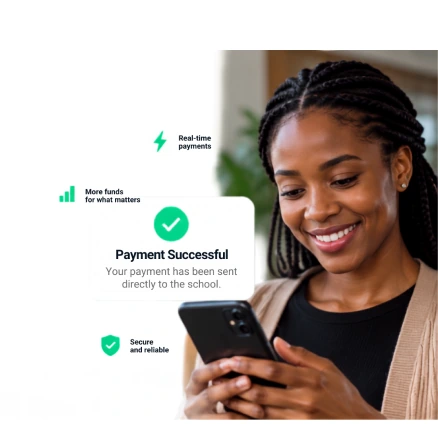
A smiling parent holding a phone, next to a Payment Successful card: your payment has been sent directly to the school.
Payment methods

Get paid the way parents already pay

Every invoice NuPay sends has a Pay Online option. Parents choose the method that suits them, in USD or ZWG, from home or abroad.

Straight to your bank

Your money goes straight
to your bank.

NuPay never holds school funds. Parents pay, your bank settles, and NuPay reads the transaction to match it to the right student and invoice.

  1. EcoCash InnBucks O’mari OneMoney Visa and Mastercard Bank Step 1

    Parent pays

    EcoCash, card, bank transfer or pay link.

  2. Step 2

    Your school’s bank

    The money settles here, in your own account.

  3. Step 3

    NuPay matches it

    Allocated, reconciled and posted to the books.

Automatic matching

NuPay knows who paid you

No more decoding references. Online payments arrive already tied to their invoice through NuPay’s gateway integration, and bank deposits are read and allocated as they land.

  • NuPay is linked to the payment gateway by API. When a parent pays online, the gateway tells NuPay which invoice it was for, so the match is made before the money even reaches the bank.
  • For bank deposits, advanced matching analyses bank references, student details, invoices and payment patterns to allocate fees to the right student.
  • Card, mobile money, bank transfer and pay-link payments all land against the right invoice.
  • Every payment posts to the ledger, so balances, statements and reports stay current.
  • Anything NuPay can’t place with confidence is flagged for your bursar to confirm.
How it works

From invoice to paid, without the admin

  1. 1

    Send the invoice

    Raise fees, levies or trips in seconds. Each invoice goes out with a Pay Online link.

  2. 2

    The parent pays

    They pay by mobile money, card or bank transfer. The money settles in your school’s own bank account.

  3. 3

    NuPay matches it

    The gateway tells NuPay which invoice was paid through the API link. NuPay allocates it to the student and posts it to the books, then confirms it when the bank settles.

  4. 4

    Everyone is up to date

    Receipts go out instantly, and balances update the moment a payment lands.

FAQs

Which online payment methods can parents use?

Parents can pay by EcoCash, InnBucks, O’mari, OneMoney, SmileCash, Visa or Mastercard, or by bank transfer, in USD or ZWG, from home or abroad.

Does NuPay hold the school’s money?

No. Payments settle directly into the school’s own bank account. NuPay handles the technology behind identifying, allocating and reconciling payments, and never holds the school’s funds.

How are payments matched to students and invoices?

For online payments, NuPay is linked to the payment gateway by API, so the gateway tells NuPay which invoice was paid the moment the payment succeeds, and the match is confirmed when the bank settles. For bank deposits, NuPay reads the bank reference, student details, open invoices and payment patterns and allocates the payment to the right student and invoice automatically.

Are there additional charges for bank or payment transactions?

Your NuPay subscription covers access to the software. Any charges imposed by banks, card networks, payment providers or other third parties are separate and may vary depending on the payment method or provider.

Do parents need to sign up for NuPay?

No. Parents receive invoices and pay links from their school, and can pay through the school’s parent portal.

Ready to collect fees the easy way?

See online payments, bank settlement and automatic matching working together.